
GNSS receivers we tested with GPS TrackMaker that did not make the approved list
Before approving a GNSS receiver, our team tests it on the bench and in the field with GPS TrackMaker. The ones that pass are on the Approved GNSS Receivers page. Some models do not pass, and here we report what we found in each one.
If you already own one of them, each model’s section shows what works and what does not. When there is a way to use it with GPS TrackMaker, we explain how.
New to the subject? Start with the article RTK in GPS TrackMaker: from meter-level GPS to centimeter accuracy, which explains what RTK is, where the correction comes from and what you need to use it.
Note: the results apply to the units we tested, at the time stated in each case. TrackMaker does not sell receivers and does not receive commissions from any manufacturer. We reported the problems to each manufacturer, as described in each model’s section. If a manufacturer releases a revision that fixes what we describe here, we will test it again and update this page.
TOPGNSS GN-168BT: RTK works over the USB cable, but not over Bluetooth

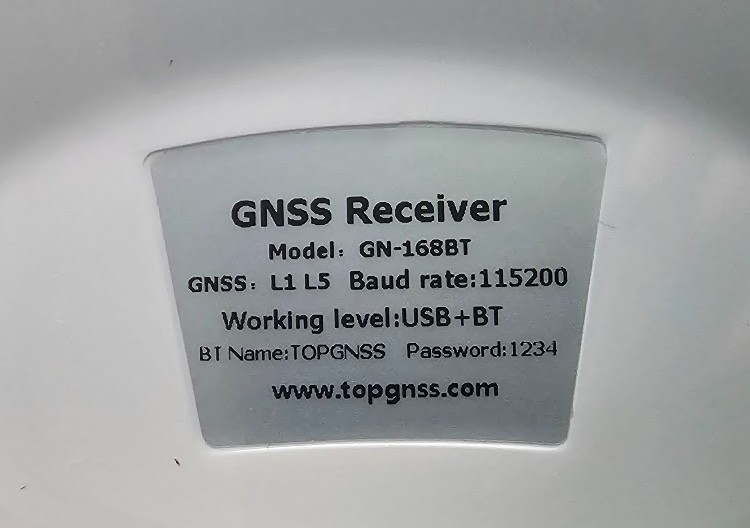
The GN-168BT is a disc-shaped antenna with the GNSS receiver inside. It is powered with 5 V over USB, has Bluetooth and receives the L1 and L5 bands. It has no battery.
We bought the unit from the manufacturer’s official store on AliExpress. On the price scale of the Approved GNSS Receivers page, from $ to $$$$$, it would rate $$$.
We tested our unit in November 2026, on a computer and on Android devices with GPS TrackMaker 2.0. The correction came from IBGE, the public correction network in Brazil.
The short version, for those in a hurry
| Question | Answer |
|---|---|
| Does it do RTK with GPS TrackMaker? | Yes, on Android and only with the correction going in over the USB cable. In our test it reached RTK FIXED in 83 seconds. |
| And over Bluetooth? | No. Bluetooth sends the position to the phone, but does not carry the correction to the receiver. Over Bluetooth, the antenna works as a regular GPS, with no correction. |
| Does it work on the iPhone? | Not with RTK. The iPhone does not accept a receiver over a USB cable, and this device’s Bluetooth does not carry the correction. |
| Is the accuracy shown on the screen reliable? | Not in RTK FIXED. The receiver reports an accuracy that grows up to 4 m while the position stays still to the centimeter. |
| Is the position in RTK FIXED accurate? | No. It was 1 to 2 m off from points we had marked earlier, at the same spot, with the DATAGNSS NANO RTK Pro, an approved receiver. |
| Does it have a battery? | No. It needs the 5 V from USB. On the phone, power comes through the OTG cable. |
| Why was it not approved? | Correction only over the cable, wrong reported accuracy in RTK FIXED, position offset in RTK FIXED, no RTK on the iPhone, no documentation from the manufacturer for this model and no answer to our questions. |
What we found on the bench
The receiver. Inside our unit there is a dual-band GNSS engine made by Beken. It receives GPS, Galileo, GLONASS and BeiDou on the L1 and L5 bands. It does not receive the L2 band.
Beware of the manuals. Three documents with the name of this model, or of a very similar one, circulate on the Internet, and none of them describes the unit we received:
- the TOP168BT manual describes a receiver with a different GNSS engine, on the L1 and L2 bands;
- a GN168BT spec sheet describes a GPS with 1.5 m accuracy and no RTK;
- the GM-105BT datasheet, in the same housing and with the same L1 and L5 bands, describes a sub-meter receiver.
The housing is the same, but the receiver inside changes. In November 2026, the TOPGNSS website had no page and no manual for the GN-168BT. We wrote to TOPGNSS asking whether there is a board version in which Bluetooth receives the correction, and why the reported accuracy grows in RTK FIXED. We got no answer.
Bluetooth. We tested both Bluetooth modes of the device, with the antenna connected to the computer and also powered only by a power bank. In every case the position reaches the phone and the correction is ignored. The cause is in the board. The Bluetooth radio only listens to the receiver’s output, and what the phone sends over Bluetooth never reaches the receiver’s input. No command or setting fixes this. Only a board revision would change the result.
In practice, the app connects to the correction server, sends the data, shows no error at all, and the receiver stays in SINGLE. To the user, it looks like an app defect. It is not.
Over the USB cable. The correction goes in and the receiver responds within seconds. On Android devices with GPS TrackMaker, the solution went through DGPS and RTK FLOAT and reached RTK FIXED in 83 seconds. From then on it stayed stable, with the position varying by a few millimeters.
Two behaviors of the receiver get in the way:
- In RTK FLOAT, the position is off by meters. Before fixing, the position drifted up to 13 m and jumped almost 10 m at the moment it fixed.
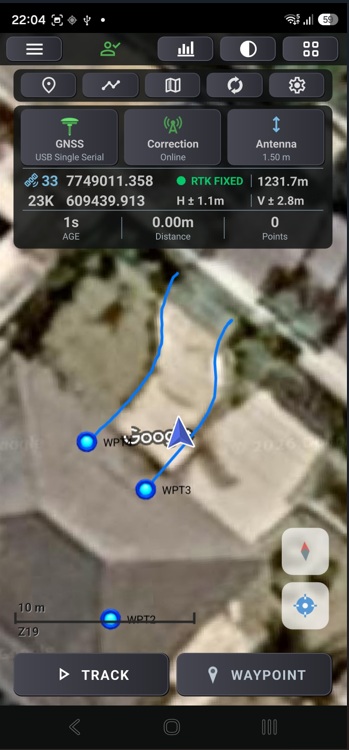
- In RTK FIXED, the accuracy reported by the receiver is wrong. With the position still to the centimeter, the accuracy it reports rose from less than 1 m to more than 4 m horizontally. GPS TrackMaker shows the accuracy the receiver reports, so the screen shows RTK FIXED with meter-level accuracy. In the image, the screen is in RTK FIXED, the most accurate mode, and shows a horizontal accuracy of 1.1 m, when it should be below 10 cm.
We did not check the accuracy of RTK FIXED against a point with known coordinates, but we compared it with an approved receiver. Before the test, we marked waypoints at the same spot with the DATAGNSS NANO RTK Pro. In the image, the GN-168BT position should be between those waypoints, and it shows up 1 to 2 m to the side. The position is stable, but in the wrong place, so we do not trust it.
If you already own a GN-168BT: how to use it with GPS TrackMaker
What you need:
- an Android phone that supports USB OTG;
- an OTG adapter or cable to connect the antenna to the phone;
- GPS TrackMaker 2.0 or later for Android;
- a GPS TrackMaker PRO account, to use Online Correction;
- an RTK correction source, such as the public network or service that provides corrections in your country (see the article RTK in GPS TrackMaker);
- open sky.
Step by step:
- Connect the antenna to the phone with the OTG cable. The phone powers the antenna over USB.
- Android asks whether GPS TrackMaker may use the USB device. Allow it. If there is an option to remember the choice, check it.
- In the app, open the menu (☰), tap GNSS and then the Receiver on a USB cable card.
- Under Baud rate, choose 115200. The app comes set to 230400, which is another receiver’s speed, and at that speed the antenna sends nothing readable.
- Under Configure receiver, use Generic NMEA receiver. The app has no profile specific to this model.
- Open the menu (☰), tap Online Correction and connect to the correction server.
- Take the antenna out under open sky and wait for the panel to show RTK FIXED.
Precautions:
- To decide whether you can record the point, look at the solution type, not the accuracy number. On this receiver, the number climbs to meters precisely in RTK FIXED.
- Do not record points in RTK FLOAT. We measured deviations of several meters in that state.
- Do not use Bluetooth for RTK. It connects with no error, but the correction does not reach the receiver.
- The antenna drains the phone’s battery, because it has no battery of its own.
- The app does not configure this model as a base station.
- We do not publish this receiver’s configuration commands. A wrong command can leave the device unresponsive.
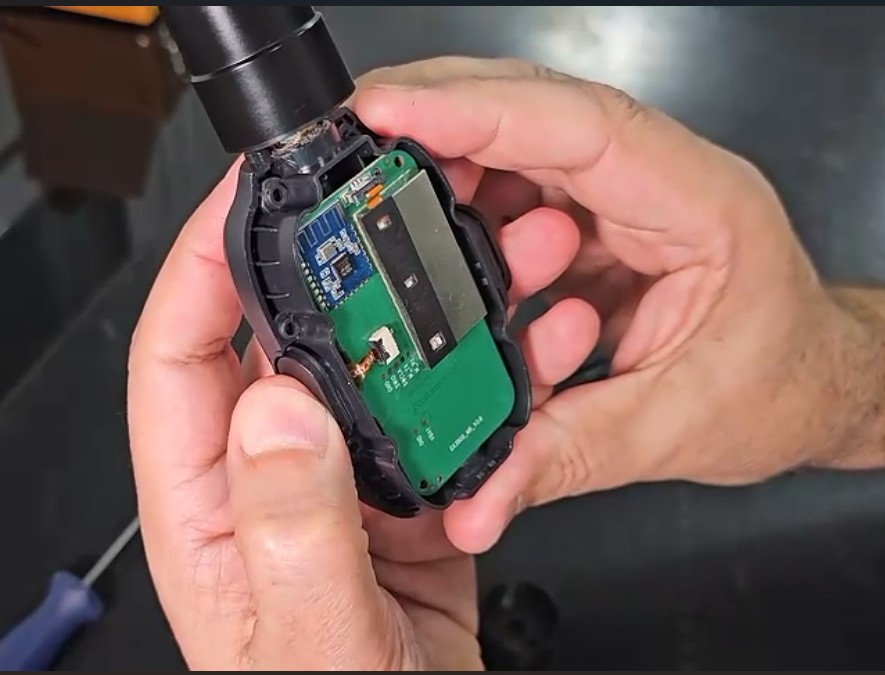
MinewSemi GE3PGS51: our unit did not receive any satellites
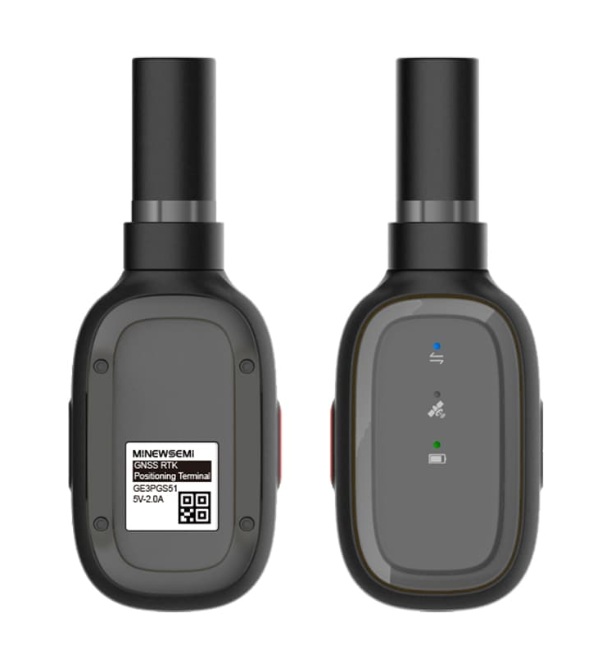
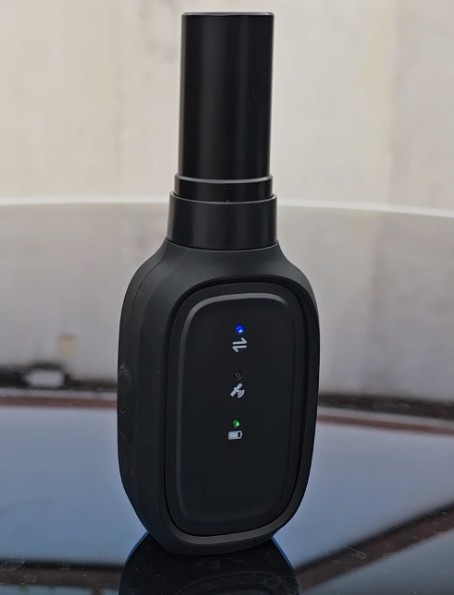
The GE3PGS51 is a handheld RTK receiver with a battery, Bluetooth and USB-C, for the L1 and L5 bands. The GNSS engine is made by Feyman.
We bought the unit directly from the manufacturer in China, and it arrived in September 2026.
The GE3PGS51 looked promising because it is portable, has an internal battery, does RTK and costs little. Our unit, however, arrived defective, and the manufacturer did not provide a technical solution.
The short version, for those in a hurry
| Question | Answer |
|---|---|
| Did it get to do RTK? | There was no way to test it. Our unit never received a single satellite. |
| What worked? | Bluetooth, USB, lights and button. The receiver responded to commands normally. |
| Was the problem the cable or the antenna? | No. We replaced both and the result did not change. |
| Why was it not approved? | The unit arrived with a reception defect, and the manufacturer neither provided a technical solution nor agreed to send a new board. |
What happened
With our unit, Bluetooth and USB worked, the lights came on and the receiver responded to commands. But it did not receive a single satellite, on either band.
We went through this sequence, recording each step on video:
- More than 8 minutes under open sky, with no buildings or trees nearby. No satellites on L1 or on L5.
- We opened the housing following a video sent by the manufacturer itself. The internal antenna cable was connected. We disconnected and reconnected it, with no change.
- We connected the device’s antenna through another cable, with no change.
- We connected the antenna of another RTK receiver, with no change.
Since the result did not change with another cable or with another antenna, the problem was not in those two components.
We sent the manufacturer the videos of each step in September 2026. The answer came more than three weeks later and asked for a new open-sky test, which had already been done. We also offered to have them send us a new board, with shipping at our expense, and the manufacturer refused. We received neither a technical explanation nor a solution.
It may have been a defective unit. That is why we draw no conclusions about the model, only about the unit we received. Without a working unit, we cannot approve it.
Before buying a receiver that is not on the list
The cases on this page show what to ask before buying:
- Does the RTK correction go in over Bluetooth? Ask the seller to confirm it in writing. A receiver that only takes the correction over the cable is no good if you want to use it wirelessly.
- Does it work with Bluetooth LE? The iPhone only connects to receivers over Bluetooth LE.
- Is there a manual for the exact model? The manual must give the name of the GNSS engine and the commands. Be suspicious when the document describes other bands or another communication speed.
- Does it work out of the box? Updating firmware and sending commands is bench work. For someone who just wants to measure, it is a headache.
- Does the manufacturer answer? Before buying, send the seller a technical question and see whether an answer comes and whether it addresses what you asked.
- Can you return it? Buy where returns are simple.
The receivers that passed our tests, with links to buy them, are on Approved GNSS Receivers.
Do you own one of these devices and want to share your experience? Get in touch through our Contact page.